
Pet Doctor Care games for kids
Pazu GamesEducational
4.594.00 Reviews
- Version
- 1.54
- Installs
- 1.00M
- Age Rating
- Everyone
Screenshots
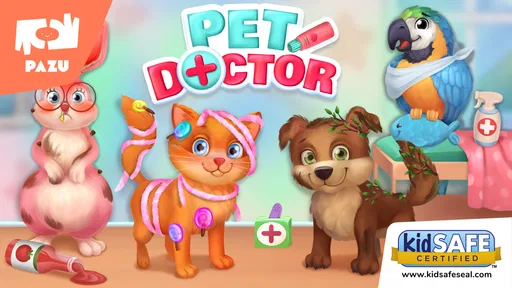
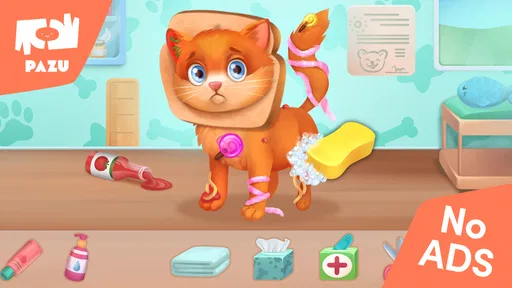
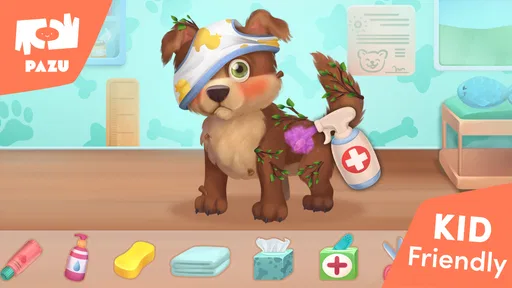
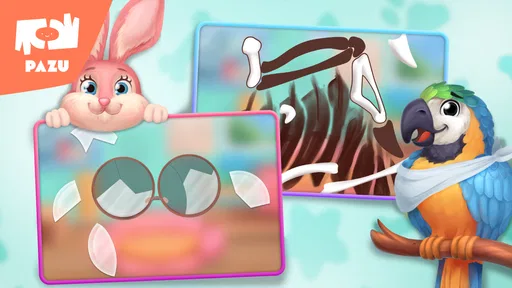
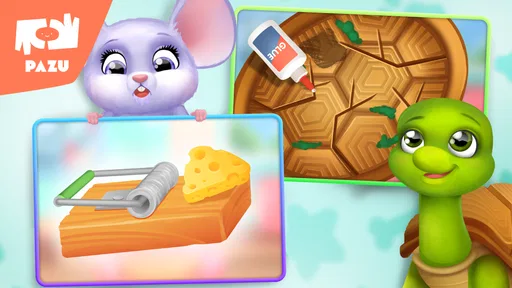
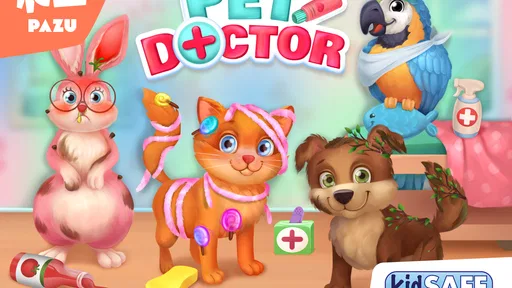
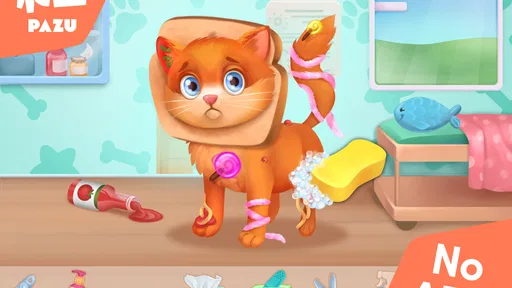
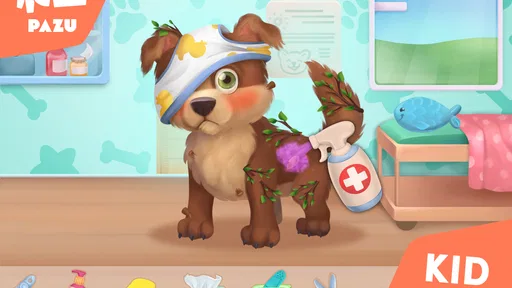
Our Review of Pet Doctor Care games for kids
 Analysis by Appyee
I like children’s games best when they give a child something clear to do, rather than asking them to wander through menus or wait for an adult to explain every move. Pet Doctor Care has a simple premise: care for animal patients by working through treatment steps. That makes it easy to introduce during a quiet moment at home, and it gives kids who enjoy pretend play a small, structured role to take on.
A useful way to fit it into the day
I would treat this as a short shared activity before expecting it to hold a child’s attention for a long stretch. For example, after school, a parent can sit nearby while a child takes a patient through the care routine, then ask what they think the animal needs next. The conversation is part of the value: the game can prompt a child to notice a problem and respond with care, while an adult can connect that pretend situation to gentle handling of real pets.
That distinction matters. This is a playful introduction to caring for animals, not a substitute for practical animal-care guidance or a lesson in real veterinary medicine. I wouldn’t use its pretend diagnoses to explain how to treat a real pet. Instead, I’d use the role-play to talk about patience, kindness, and asking an adult for help when an animal seems unwell.
Who will enjoy it, and who may not
The strongest match is a child who already likes animals, doctor role-play, or hands-on activities with a clear beginning and end. The patient-and-treatment format gives that child a reason to keep going, while the simple interactions are approachable for younger players. Pazu Games has made an educational game that is easy to understand without requiring a child to read a long explanation before starting.
It may be a weaker fit for children who mainly want open-ended building, competitive challenges, or a story that keeps changing. A pretend clinic has a narrower focus than a creative sandbox or a fast-paced game, and a child who isn’t interested in caring for animals may lose interest quickly. I’d also keep an eye on whether the child prefers to tap through activities independently or wants an adult to join in; the latter can make the play more meaningful, but it does require a little shared attention.
What to check before handing over the device
The game is free to download, but it includes in-app purchases priced from $6.49 to $59.99 per item. That is worth knowing before a child starts playing: I’d check the purchase controls on the device and explain that any paid option needs an adult’s permission. A free starting point is convenient, but it doesn’t mean every possible part of the experience is included at no cost.
It is rated Everyone, runs on Android 6.0 or later, and is at version 1.54. Those details help with basic suitability and compatibility, but I would still test it on the device the child will use before making it part of a regular routine. Small-screen controls can feel different from one device to another, and what seems comfortable for an adult may be awkward for a young player’s hands.
How it sits beside other children’s games
Compared with a colouring app, this offers more of a task sequence: a child is not only making marks but taking a patient through a pretend care process. Compared with an open-ended pet simulator, its appeal is more focused on the clinic role than on simply keeping a virtual animal company. That focus is a strength for a child who wants to “be the vet,” but a limitation for one who wants a broader world to explore.
For a parent choosing between this and a general learning app, I’d ask what kind of attention the child enjoys. If they like acting out a familiar job and responding to a simple situation, this is a more natural pick than a collection of unrelated lessons. If they want reading practice, open-ended creativity, or a game built around difficult puzzles, another category will likely serve them better. The practical choice is to match the game to the child’s current interest instead of expecting one app to cover every kind of learning.
Pet Doctor Care is a free educational game from Pazu Games, released on March 22, 2020. It has a 4.6 average from around 4,000 ratings, with more than 1 million installs. I see those figures as signs that it has found an audience, not a guarantee that every child will enjoy it; a child’s interest in pretend animal care is still the best predictor of a good fit.
Hey there, fellow app explorers! If you’ve ever watched your little ones play pretend with their stuffed animals and thought, "Wow, they’d make a great vet," then you're in for a treat. I recently got my hands on Pet Doctor Care, a delightful game for kids, and let me tell you, it’s quite the adventure in the animal kingdom.
Getting Started with Pet Doctor Care
Okay, so first things first, downloading the app was a breeze. Just a quick trip to the app store, a tap or two, and boom, I was ready to dive into the world of furry patients. The game kicks off with a friendly interface that’s both colorful and inviting—perfect for grabbing the attention of the little ones.
Once inside, your child is greeted by their first patient, a lovable little critter in need of some tender loving care. The game does a fantastic job of making every step intuitive. Kids are guided through the process of diagnosing and treating their virtual pets with easy-to-follow instructions. It’s all about playfully learning how to use various tools, from thermometers to bandages.
The Gameplay Experience
The real magic of Pet Doctor Care lies in its engaging gameplay. It’s packed with a variety of animals, each with its unique ailment. Whether it's a pup with a fever or a kitten with a scratch, the game challenges kids to figure out what’s wrong and how to fix it. This is a great way to teach problem-solving skills in a fun, interactive way.
What I loved most is the mix of education and entertainment. The game subtly introduces kids to concepts like empathy and responsibility by encouraging them to care for their patients. And while it’s all about having fun, there’s a real sense of accomplishment in seeing their furry friends get better.
Features That Stand Out
So, what makes this app a standout in the sea of kids' games? For starters, the graphics are top-notch. They’re vibrant and animated, offering a real feast for the eyes. The sound effects and cheerful background music add an extra layer of immersion, making the whole experience feel like a mini-adventure in a bustling vet clinic.
Another feature I found pretty neat is the variety of mini-games sprinkled throughout the main gameplay. These mini-games keep the experience fresh and exciting. From puzzles to matching games, each one is designed to keep kids engaged while subtly enhancing their cognitive skills.
Making Play Feel More Intentional
When I play alongside a child, I find it works better to let them lead rather than turn the session into a quiz. I might ask, “What do you notice about this patient?” and then wait while they choose what to do. That leaves room for them to make decisions and explain their thinking. If they get stuck, a gentle prompt is more useful than taking the device and completing the step for them.
A repeatable routine can also make the game easier to pick up: let the child explore one patient, talk briefly about the care they gave, then stop when their attention starts to wander. There’s no need to turn every play session into a lesson. The useful habit is simply to connect the pretend action with a conversation about being gentle and attentive. This approach works especially well for siblings or a parent and child sharing one screen, because taking turns choosing the next action can keep one player from doing everything.
I’d also avoid treating every successful treatment as proof that a child has learned a real-world skill. The game offers a playful problem-solving loop, not a veterinary checklist. That makes it suitable for imaginative play, while real pet care should remain an adult’s responsibility. If a child asks whether a real animal needs the same treatment, I’d answer separately and direct them to an adult rather than use the game as a reference.
Settings and a smoother start
Before handing over the device, I’d take a moment to check the device’s purchase settings and make sure the child knows to ask before choosing anything that costs money. Because the game contains optional purchases, that small bit of preparation can prevent a confusing interruption in the middle of play. I’d also check the device’s sound level in advance; cheerful effects can be fun, but a quieter setting may be more comfortable in a waiting room or during a calm part of the day.
It helps to start when there is enough time to finish a small stretch of play rather than opening the game as a last-second distraction. A child who is rushed may tap through the care steps without noticing them, while a calmer moment gives them a chance to make choices and enjoy the patient interactions. If the child is using the game independently, I’d stay close for the first session so I can see whether the instructions and controls make sense to them.
The game’s audience rating is Everyone, but that doesn’t replace a parent’s judgment about an individual child. Some children are comfortable with pretend medical care; others may prefer something less clinic-focused. I’d use the first session to see how they respond to the treatment theme, not just whether they can operate the screen. That quick check is more useful than assuming the age label means the experience will suit every child in the same way.
Faster play without rushing
Once a child understands the basic rhythm, the most useful shortcut is not tapping faster; it’s paying attention to the instructions and looking at what the current patient needs before choosing a tool. The guided sequence gives children a way to approach each task without guessing wildly. I’d encourage them to pause for a moment, notice the prompt, and then act. That small habit can reduce random tapping and make the play feel more like caring for a patient than racing through a screen.
For repeat visits, a parent can let the child take the lead on familiar steps and offer help only when asked. This keeps the adult from turning into a constant narrator and gives the child more ownership. If more than one child wants a turn, a simple handover after a patient or activity is clearer than passing the device back and forth after every tap. It keeps the flow intact while making space for both children to participate.
Those habits are deliberately modest: I wouldn’t promise that a particular sequence unlocks content or makes the game progress faster. They’re ways to make the available play more focused, not secret mechanics. The best measure is whether the child is still engaged and understands what they are doing. If the activity becomes repetitive, it is perfectly reasonable to put the game away and return another time.
Where the experience has limits
Pet Doctor Care is most convincing when a child wants to act out a caring role. It is less suited to a child looking for a deep simulation, a large world to explore, or a competitive goal. Its educational value is also informal: the child gets practice following prompts and thinking about a patient’s needs, but families looking for structured reading, science instruction, or a detailed animal-care curriculum should choose a more focused learning resource.
The purchase range deserves a second look from adults deciding whether the free version is enough for their household. I would let a child try the game first and see whether the core activity holds their interest before considering any paid option. A price on an in-app item does not tell you whether it is worthwhile for your child; their actual engagement is the better guide. Setting a clear rule in advance—no purchases without an adult—keeps that decision with the parent.
There is also a practical difference between a child playing alone and playing with someone nearby. Independent play can be convenient, but a young child may need help understanding a prompt or staying focused. Shared play gives an adult a chance to encourage empathy, yet it asks for attention and may not work when a parent needs a hands-off activity. I’d choose based on the moment rather than expect the game to serve equally well as both a teaching activity and a distraction.
Wrapping Up the Pet Adventure
To sum it all up, Pet Doctor Care is a fantastic choice for parents looking to introduce their children to a game that’s both educational and entertaining. It’s a delightful mix of creativity, learning, and fun, all rolled into one charming package. So, if your kids have a soft spot for animals and a knack for helping others, this app is definitely worth checking out.
Ready to embark on a vet adventure with your little ones? Head over to the app store and give Pet Doctor Care a try. Who knows, you might just have a future vet in the making!
Verdict
Strengths of Pet Doctor Care games for kids
- Engaging graphics and animations.
- Educational content for young kids.
- Simple controls for easy play.
- Wide variety of animals to treat.
- Promotes empathy and care.
Limitations of Pet Doctor Care games for kids
- Contains in-app purchases.
- Limited free content available.
- Ads can be distracting.
- Requires internet connection.
- Repetitive gameplay after a while.
Other Releases by Pazu Games
View All
Avatar World ®
Role Playing4.7

Avatar Maker Dress up for kids
Educational3.3

Sushi Maker Kids Cooking Games
Role Playing4.7

Baby care game & Dress up
Educational4.4
Similar Picks in This Category
View All
Little Panda Policeman
BabyBus4.0

Monster Trucks Game for Kids 2
Raz Games4.1

Little Panda's Chinese Recipes
BabyBus4.4

Little Panda's Restaurant
BabyBus4.4

Little Panda's Ice Cream Games
BabyBus4.3

Baby Panda Care
BabyBus3.8
Frequently Asked Questions
What is Pet Doctor Care and who is it suitable for?
Pet Doctor Care is an engaging and educational game designed for children, where players step into the role of a veterinarian. The game is suitable for kids aged 4 and above, offering a fun way to learn about pet care and responsibility through interactive gameplay and colorful graphics.
What platforms is Pet Doctor Care available on?
Pet Doctor Care is available for both Android and iOS devices. You can download it from the Google Play Store for Android devices and the Apple App Store for iOS devices. Ensure your device meets the necessary software requirements for a smooth gaming experience.
Is Pet Doctor Care free to play?
Pet Doctor Care is free to download and play, but it may include in-app purchases. These purchases offer additional features, tools, and pet accessories that can enhance the gaming experience. Parents can manage or disable in-app purchases through their device’s settings to prevent unauthorized transactions.
Does Pet Doctor Care include educational content?
Yes, Pet Doctor Care incorporates educational elements by teaching kids about basic pet care and health. Through various mini-games and scenarios, players learn the importance of looking after pets, including feeding, grooming, and medical care, all wrapped in a fun and interactive environment.
Are there any safety concerns with Pet Doctor Care?
Pet Doctor Care is designed with child safety in mind, featuring age-appropriate content and no third-party ads. However, parents should be aware of in-app purchases and ensure their kids understand how to play safely. It's recommended to review settings and monitor gameplay for a safe experience.
Play our best games!


